Currently accepting new projects
How to Make an App for Your Business, From Idea to Launch
Wondering how to make an app for your business? The coding is only one part. Most apps that fail do so because nobody checked whether customers needed one, the first version tried to do everything, or no one planned for updates. Here is the whole process, step by step, including when free and no-code tools are enough.
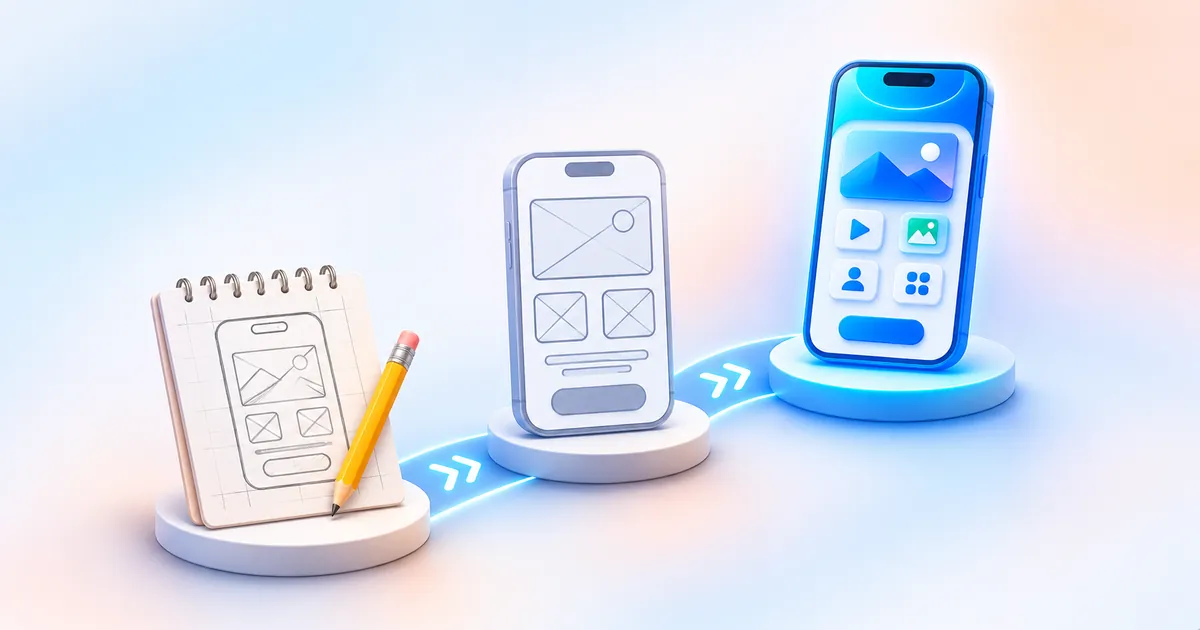
First: do you actually need an app?
The short answer: To make an app, define the one problem it solves, check whether a mobile website would do the job, then scope a small first version. Design the screens, choose how to build it (no-code, cross-platform such as React Native, or native), test on real phones, and publish through Google Play Console and the Apple Developer Program. Plan for updates after launch, because both stores require them.
An app has to earn a place on someone's phone. People install apps they will open again and again; for a one-off purchase or enquiry, a fast mobile website is usually the better tool and costs far less to run.
- Customers will use it weekly or daily: ordering, booking, tracking, loyalty
- You need push notifications, offline use, the camera or location
- Staff need a tool in the field or warehouse
- People visit once to read about you or send an enquiry
- The main goal is to be found on Google
- "Competitors have an app" is the main reason
Website, wrapper app or real app?
Three questions to find the right first build.
1. How often will a customer open it?
2. Does it need the phone itself?
3. Do you already have a good mobile website?
Start with a fast mobile website
It is found on Google, needs no install and costs far less to run. Add an app later if repeat use grows.
A WebView app can work for now
Wrapping a good mobile site is quick, but Apple may reject thin wrappers. Read React Native vs WebView apps first.
Build a real app
Repeat use and phone features justify it. One React Native codebase can cover Android and iPhone.
Whatever you build, test it on real phones. Years ago I paid a hefty amount for a template-based website that looked fine on the developer's laptop and broke on Android and iPhone. The same thing happens with apps that are only ever checked in an emulator.
Nitish, founder of Biz HoistHow to make an app: the full process
- Write the one-line purpose
"Let regular customers reorder in two taps" is a purpose. "An app for our business" is not. Every later decision gets checked against this line.
- Scope a small first version
List every feature you want, then cut it to the three or four that deliver the purpose. Logins, payments and notifications each add real work; include them only if the purpose needs them.
- Sketch the screens
Paper or a design tool, it does not matter. Walk through the main journey screen by screen. Gaps show up here cheaply instead of during coding.
- Choose how to build it
No-code builder, cross-platform framework or fully native. The comparison below explains the trade-offs.
- Build the back end
Most business apps need a server: a database, an API and an admin panel to manage products, orders or users. This is often half the work.
- Test on real devices
A budget Android phone, a mid-range phone from another brand and an iPhone. Test on slow mobile data, not just office Wi-Fi.
- Publish to the stores
Set up developer accounts in your business name, prepare screenshots, a privacy policy and store descriptions, then submit for review.
- Maintain and improve
Fix bugs, respond to reviews and keep up with yearly platform requirements. An app nobody updates eventually gets blocked from further updates.
Three ways to build it
No-code builder
Drag-and-drop tools that generate an app from templates and blocks. Fast for simple apps and prototypes; limited when you need custom logic or scale.
Prototypes, simple toolsCross-platform code
React Native or Flutter: one codebase for Android and iOS with native screens. The usual choice for customer-facing business apps.
Most business appsFully native
Kotlin for Android and Swift for iOS, built separately. Best performance and access to every device feature, at the cost of two codebases.
Demanding appsBe wary of a fourth option often sold as "an app": your website wrapped in a WebView. Apple's guidelines reject apps that are just a repackaged website, which we explain in React Native vs WebView wrapper apps.
How to make an app free: what is realistic
Plenty of people search "how to make an app free", and it is possible to start without spending money. It helps to know where "free" ends.
Honest options for a free start include MIT App Inventor (a free, block-based tool well suited to learning and simple Android apps) and the free tiers of commercial no-code builders such as FlutterFlow, Adalo, Glide or Thunkable. Each sets its own limits on publishing, branding, users and data, so read the tool's own pricing page before you build anything you rely on.
Even a free app is not free to publish. As of November 2026, Google Play charges a US$25 one-time registration fee (official page) and the Apple Developer Program costs US$99 a year (official page). Check both pages for current amounts.
A no-code prototype is a good way to test an idea with real users. If it takes off, plan to rebuild properly rather than stretching the tool past its limits.
How to make an app for Android
Because most phones in India run Android, many businesses ask how to make an app for Android first and add iPhone later. That works, but two Android-specific steps add time:
Android launch on a new personal Play Console account
New apps and updates must target Android 16 (API level 36) from 31 August 2026, according to Google's target API requirements.
Our Android app development guide covers Play Console setup, the testing rule, target API levels and device fragmentation in detail.
Where the time actually goes
Typical share of effort in a small business app
Illustrative only, not measured data. The split changes a lot with features such as payments or chat.
For what these stages cost in practice, see our guide to app development cost in India.
Frequently asked questions
How to make an app free?
You can start for free with tools such as MIT App Inventor or the free tiers of no-code builders. Publishing is not free, though: Google Play has a one-time registration fee and Apple charges a yearly membership, and many no-code tools need a paid plan to publish to the stores.
How to make an app for Android without coding?
No-code builders and MIT App Inventor let you build simple Android apps visually. They suit prototypes and basic tools. For a customer-facing app with payments, logins or integrations, a coded app is usually more reliable.
How long does it take to make an app?
A simple no-code prototype can take days. A custom business app with a back end usually takes weeks to a few months, plus time for store review and, on a new personal Google Play account, a 14-day closed test.
Do I need both an Android and an iPhone app?
Not always. If nearly all your users are on Android, starting there is reasonable. A cross-platform framework such as React Native lets you add iPhone later from the same codebase.
Can I turn my website into an app?
You can wrap it in a WebView, but Apple often rejects apps that are just a repackaged website. A better route is a real app that uses your website's data through an API, or simply a faster mobile website.
What do I need before I talk to a developer?
A one-line purpose, a short list of must-have features, rough sketches of the main screens, and a sense of who will use the app and on which phones. That is enough for a developer to quote accurately.
Have an app idea?
Tell us what you want the app to do and we will tell you honestly whether you need an app, a better website or a no-code tool, with a fixed quote within one business day if a custom build makes sense. See how we work on our app development page.
Get a fixed quoteApp development


Only to see which pages help and which don’t. Nothing is sold, nothing is used for advertising, and declining changes nothing about how the site works. More in our privacy policy.